The Z890 chipset is part of Intel’s latest platform designed for modern desktop computers. If you are planning to build or upgrade a PC, understanding this chipset can help you make smarter choices. This guide explains what Z890 is, how it works, and why it matters for performance, gaming, and productivity.
In this blog, you will learn about its key features, supported processors, memory support, connectivity options, and real-world benefits. The goal is to keep everything simple so even beginners can understand it clearly.
What is the Z890 Chipset?
The Z890 chipset is a high-end motherboard platform built for Intel’s newer generation processors. It is designed mainly for users who want strong performance, faster speeds, and better control over their systems. This chipset sits on the motherboard and connects important components like the CPU, RAM, storage, and peripherals.
It is often used in premium motherboards, which means it comes with more features compared to basic chipsets. These features include better power delivery, more connectivity options, and support for advanced technologies.
Key Features of Z890
The Z890 chipset offers many useful features that improve both performance and user experience. One of its main strengths is support for the latest processor architecture, which allows faster computing and better efficiency. It also includes improved power management, helping your system run smoothly even under heavy load.
Another important feature is support for high-speed memory and storage. This means faster boot times, quicker file transfers, and smoother multitasking. These features make it a strong choice for gamers, creators, and professionals.
You may also like to learn about: Desktop Workstation
Supported Processors
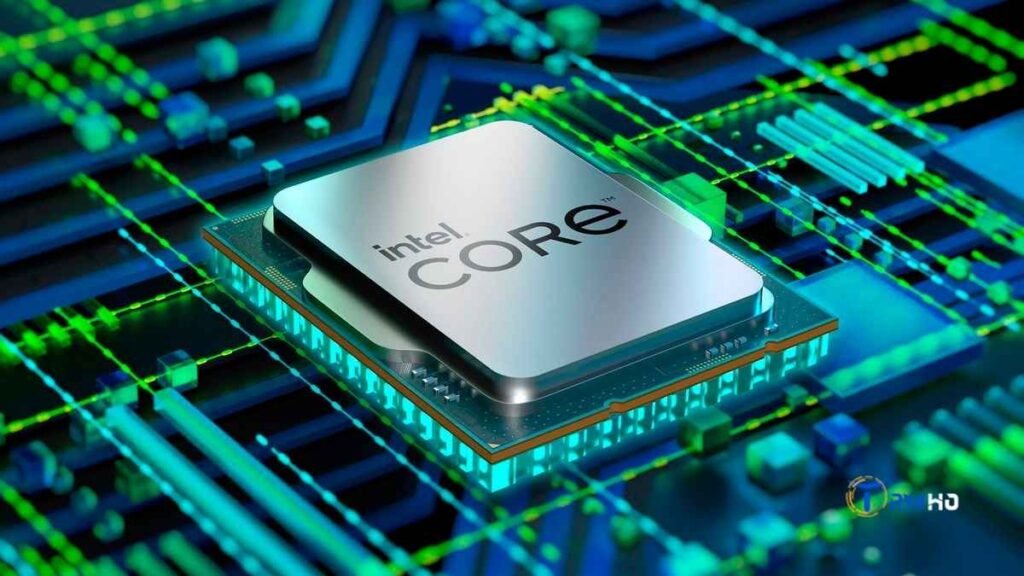
Z890 motherboards are built to support Intel’s newer CPUs, especially those from the latest Core series. These processors come with better performance cores and efficiency cores, allowing the system to handle multiple tasks at once without slowing down.
This chipset is ideal for users who want to take full advantage of modern CPUs. It also supports overclocking in many cases, which means you can push your processor beyond its standard speed for extra performance.
Memory Support and Speed
One of the most important aspects of the Z890 chipset is its support for modern RAM technology. It is expected to support DDR5 memory, which offers higher speeds and better efficiency compared to older DDR4 memory.
With faster RAM, your system can load applications quickly and handle multiple programs without lag. This is especially useful for gaming, video editing, and heavy software usage. Many Z890 motherboards also support higher memory capacities, which is helpful for advanced users.
Storage Options and Performance
Z890 motherboards provide excellent storage options, including support for NVMe SSDs. These drives are much faster than traditional hard drives and even standard SSDs. As a result, your system will start faster and applications will open almost instantly.
The chipset also supports multiple storage devices at once. This allows users to set up a combination of fast SSDs and large storage drives. It is a great option for those who need both speed and storage space.
PCIe Support and Expansion
Another strong feature of the Z890 chipset is its support for the latest PCIe standards. PCIe slots are used to connect graphics cards, sound cards, and other expansion devices.
With newer PCIe versions, you get faster data transfer rates, which improves overall system performance. This is especially important for gamers and content creators who rely on powerful GPUs. It also ensures that your system is ready for future upgrades.
Connectivity and Ports
Modern users need fast and reliable connectivity, and the Z890 chipset delivers that. It supports a wide range of ports, including USB Type-C, high-speed USB ports, and advanced networking options.
Many Z890 motherboards also include support for faster Wi-Fi and Ethernet connections. This ensures smooth online gaming, fast downloads, and stable connections for work or streaming. These features make it suitable for both home and professional use.
Overclocking Capabilities
One of the reasons people choose Z-series chipsets is overclocking support. The Z890 chipset allows users to adjust CPU and memory speeds for better performance.
Overclocking can improve gaming performance and reduce processing time for heavy tasks. However, it requires proper cooling and careful settings to avoid system instability. Many Z890 motherboards include tools that make overclocking easier and safer.
Power Efficiency and Cooling
The Z890 chipset is designed to work efficiently while handling high performance tasks. It includes better power management features that help reduce energy usage when the system is idle.
Motherboards based on this chipset also come with advanced cooling solutions. These include heat sinks, fan headers, and sometimes liquid cooling support. Proper cooling helps maintain stable performance and extends the life of your components.
Gaming Performance with Z890
For gamers, the Z890 chipset offers many advantages. It supports powerful CPUs and GPUs, which are essential for modern games. Faster memory and storage also help reduce loading times and improve gameplay smoothness.
With better connectivity and low latency networking, online gaming becomes more stable. This makes Z890 a good choice for both casual gamers and competitive players who want reliable performance.
Productivity and Content Creation
Z890 is not just for gaming; it is also useful for productivity tasks. If you work with video editing, graphic design, or software development, this chipset can handle demanding applications easily.
The combination of fast processors, high-speed memory, and efficient storage helps reduce waiting time. This allows you to focus more on your work and complete tasks faster.
Compatibility with Future Technologies
One of the biggest advantages of the Z890 chipset is its readiness for future upgrades. It supports the latest standards in hardware, which means you can upgrade your components without replacing the entire system.
This future-proof design makes it a smart investment for users who want their system to last for several years. It also ensures compatibility with upcoming technologies in computing.
Z890 vs Previous Chipsets
Compared to older chipsets, Z890 offers better performance, improved efficiency, and more features. It supports newer processors, faster memory, and advanced connectivity options.
Older chipsets may still work fine for basic tasks, but they lack the speed and flexibility of Z890. If you want a modern system with long-term value, upgrading to this chipset can be a good decision.
Who Should Use Z890?
The Z890 chipset is ideal for users who want high performance and flexibility. Gamers, content creators, and professionals will benefit the most from its features.
It is also a good choice for tech enthusiasts who enjoy customizing and upgrading their systems. However, for basic users who only need a computer for simple tasks, a lower-end chipset might be more cost-effective.
Things to Consider Before Buying
Before choosing a Z890 motherboard, it is important to consider your needs and budget. These motherboards can be more expensive than entry-level options.
You should also check compatibility with your CPU, RAM, and other components. Make sure the motherboard has the ports and features you need. Planning ahead will help you get the best value for your money.
Common Mistakes to Avoid
Many users make mistakes when selecting a motherboard. One common mistake is buying a high-end chipset without needing its features. This can lead to unnecessary spending.
Another mistake is ignoring compatibility. Always ensure your components work together properly. It is also important to invest in good cooling if you plan to use overclocking features.
Conclusion
The Z890 chipset is a powerful and modern platform designed for high-performance computing. It offers strong support for the latest processors, fast memory, and advanced connectivity. Whether you are building a gaming PC or a workstation, it provides the tools needed for a smooth experience.
While it may not be necessary for everyone, it is a great option for users who want speed, reliability, and future upgrade options. By understanding its features and benefits, you can decide if it is the right choice for your next PC build.