If you work with heavy software, large files, or complex projects, a normal desktop computer may not be enough. That’s where a desktop workstation comes in. It is built for high performance, stability, and long working hours. From video editing to engineering design, workstations handle tasks that regular PCs often struggle with.
In this guide, you will learn what a desktop workstation is, how it works, who needs it, and how to choose the right one. I will explain everything in simple English so you can easily understand and make a smart decision.
What Is a Desktop Workstation?
A desktop workstation is a powerful computer designed for professional use. It looks similar to a normal desktop PC, but the internal parts are much stronger and more reliable. It is built to run heavy software smoothly without slowing down or crashing.
Workstations are commonly used for tasks like 3D modeling, video editing, software development, scientific research, and engineering simulations. These systems are tested for stability and performance, which makes them suitable for businesses and professionals who cannot afford downtime.
How Is a Workstation Different from a Regular Desktop?
At first glance, a workstation and a regular desktop may look the same. However, the difference is in the hardware quality and performance level. Workstations use professional-grade components that are designed for long hours of operation.
For example, a workstation may include a powerful multi-core processor, larger RAM capacity, professional graphics card, and error-correcting memory. A regular desktop is fine for browsing, office work, and light editing, but it may struggle with heavy workloads.
You may also like to learn about: Velocity Micro
Who Needs a Desktop Workstation?
Not everyone needs a workstation. If you mainly browse the internet, use social media, or write documents, a regular PC is enough. But professionals who work with large projects often need more power and reliability.
Graphic designers, video editors, architects, engineers, software developers, data scientists, and researchers are common workstation users. If your software freezes often or your projects take too long to load, a workstation can improve your workflow and save time.
Key Components of a Desktop Workstation
A workstation is powerful because of its internal parts. Each component plays an important role in performance. Understanding these parts helps you choose the right system.
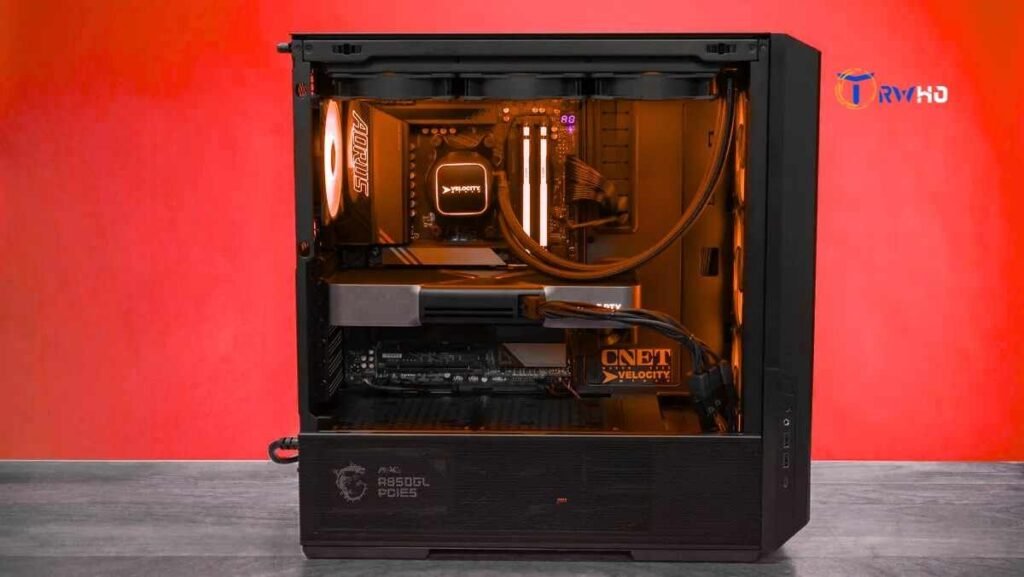
The main components include the processor (CPU), memory (RAM), storage drive, graphics card (GPU), motherboard, power supply, and cooling system. In workstations, these parts are selected for speed, stability, and long-term reliability.
Processor (CPU): The Brain of the Workstation
The processor controls how fast your system can complete tasks. Workstations often use high-core-count CPUs that handle multiple tasks at the same time. This is important for rendering, compiling code, and simulations.
Popular workstation CPUs include Intel Xeon and AMD Ryzen Threadripper. These processors are built for heavy workloads and long operating hours. More cores and threads allow faster multitasking and better overall performance.
Memory (RAM): Handling Large Projects Smoothly
RAM allows your computer to run multiple applications without slowing down. Workstations usually have more RAM compared to regular desktops. While a home PC may have 8GB or 16GB, a workstation often starts at 32GB or more.
Some workstations use ECC (Error-Correcting Code) memory. ECC RAM helps detect and fix small data errors automatically. This feature is important in fields like finance, research, and engineering where accuracy matters.
Graphics Card (GPU): Power for Visual Tasks
The graphics card is very important for designers and video editors. Professional workstations use specialized GPUs that are optimized for software like AutoCAD, Adobe Premiere Pro, and 3D modeling tools.
Unlike gaming GPUs, workstation graphics cards focus on stability and accurate rendering. They are tested with professional applications to ensure smooth performance and fewer crashes during important projects.
Storage: Speed and Reliability
Storage affects how quickly your files open and save. Modern workstations use SSDs instead of traditional hard drives. SSDs are much faster and improve system responsiveness.
Many professionals use a combination of SSD and HDD. The SSD runs the operating system and applications, while the HDD stores large project files. Some advanced setups use NVMe SSDs for even faster speeds.
Cooling and Power Supply
Workstations generate more heat because they run powerful components for long hours. A strong cooling system keeps the temperature under control and protects internal parts from damage.
The power supply unit (PSU) in a workstation is also more reliable. It delivers stable power to all components, which is important for preventing crashes and hardware failures during heavy tasks.
Common Uses of Desktop Workstations
Desktop workstations are used in many industries. In architecture and engineering, they run 3D modeling and simulation software. In media production, they handle video editing, animation, and special effects.
In software development, workstations compile large codebases quickly. In scientific research, they process large datasets and run simulations. Their performance and reliability make them suitable for serious professional tasks.
Benefits of Using a Desktop Workstation
One major benefit is performance. Workstations complete tasks faster, which saves time and increases productivity. Professionals can focus on their work without worrying about system crashes.
Another benefit is stability. These systems are tested and certified for professional software. This reduces compatibility issues and ensures smooth operation even under heavy workloads.
Desktop Workstation vs Gaming PC
Many people think a gaming PC can replace a workstation. While gaming PCs are powerful, they are built mainly for graphics performance in games. Workstations are optimized for professional software and stability.
Gaming PCs focus on frame rates, while workstations focus on accuracy and reliability. If your work depends on precise calculations or rendering, a workstation is often the better choice.
Prebuilt Workstation vs Custom Build
You can buy a prebuilt workstation from trusted brands or build one yourself. Prebuilt systems are tested and often come with warranty and support. This is helpful for businesses.
Custom-built workstations allow more flexibility. You can select specific components based on your needs and budget. However, you must ensure compatibility and proper assembly.
How to Choose the Right Desktop Workstation
Start by understanding your workload. List the software you use and check its system requirements. Some applications require more RAM, while others depend heavily on the GPU.
Set a clear budget before buying. Desktop Workstations can be expensive, but you do not need the highest specifications unless your work demands it. Choose a balanced system that fits your tasks.
Budget Considerations
Entry-level workstations are suitable for light professional tasks like photo editing and small design projects. Mid-range systems handle video editing and moderate 3D work.
High-end workstations are designed for complex simulations, advanced rendering, and machine learning. These systems cost more but provide strong long-term performance for demanding users.
Future Upgrades and Scalability
A good workstation should allow upgrades. Over time, software becomes more demanding. Being able to add more RAM or upgrade the GPU helps extend the life of your system.
Check if the motherboard supports extra memory slots and expansion cards. A scalable system protects your investment and keeps your setup relevant for years.
Maintenance and Care
Even powerful systems need proper maintenance. Keep your workstation clean to avoid dust buildup. Dust can block airflow and increase temperature.
Regularly update your drivers and operating system. This improves performance and security. Backup your important files to prevent data loss in case of hardware failure.
Energy Consumption and Noise
Workstations consume more power compared to standard desktops. This is because of high-performance components. Make sure your office setup supports proper power supply.
Some workstations can be noisy due to cooling fans. If you work in a quiet environment, look for systems designed with low-noise cooling solutions.
Are Desktop Workstations Worth It?
If your work involves heavy software and large projects, a workstation can be a smart investment. It improves speed, reduces delays, and supports stable performance.
However, if your tasks are simple, a regular desktop is more cost-effective. Always match the system to your real needs rather than buying more power than required.
Conclusion
A desktop workstation is a powerful tool built for professionals who need reliability and speed. It is designed to handle demanding tasks that regular PCs may struggle with.
Before buying one, understand your workload, budget, and future plans. Choose components carefully and focus on long-term value. With the right workstation, you can work more efficiently and complete projects with confidence.